

Welcome to the Help Center
Get quick answers to your questions about Scholarship Region
Explore Feed
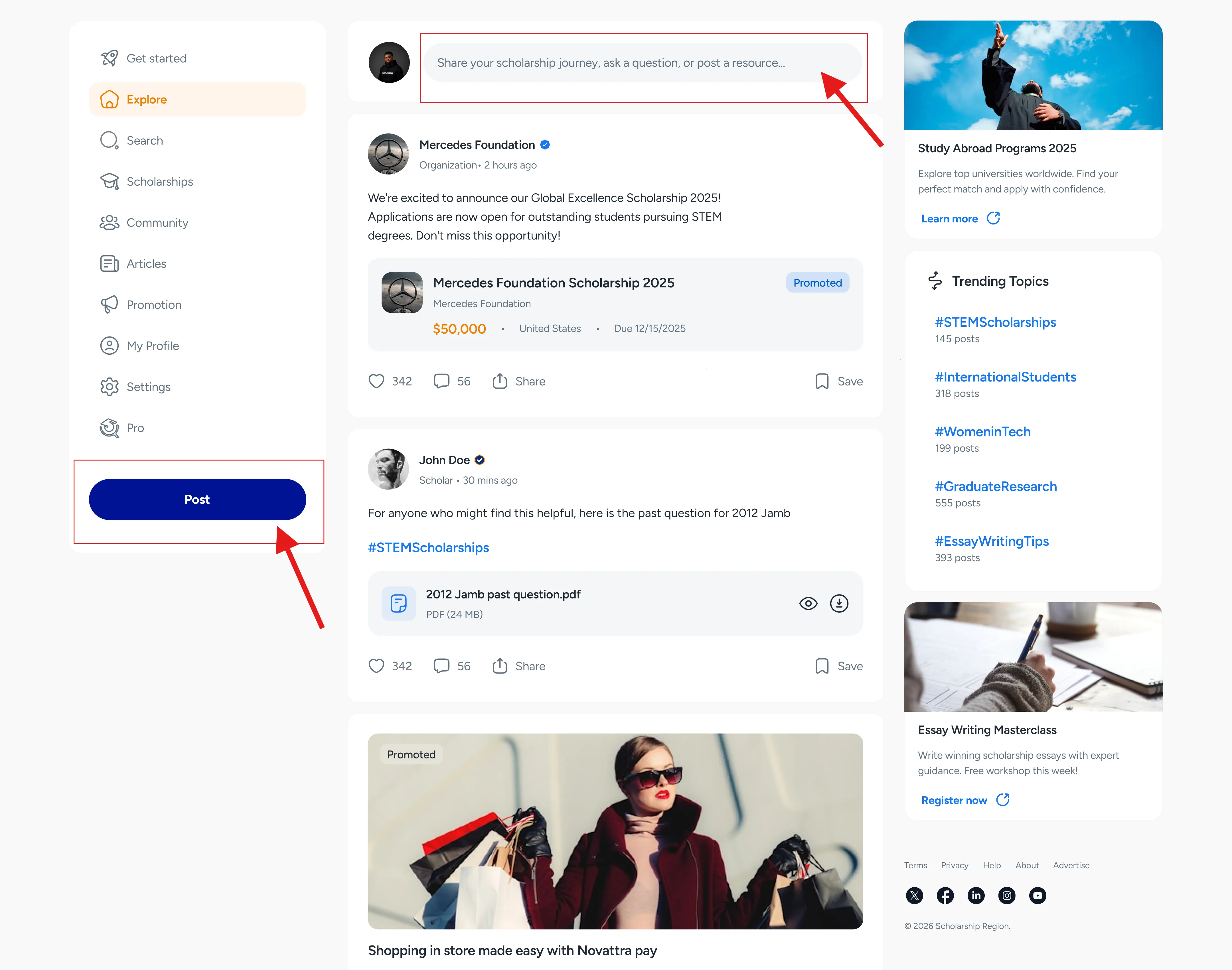
After a successful signup and scholarship preferences selection, you will start getting scholarship recommendations on the Explore feed immediately. More than 500,000 scholarships are available in the world; the Explore feed helps you streamline them to the ones that are suitable for you.
The Explore feed will also allow you to interact with posts made by other scholars, questions they ask in the community, and articles relevant to your scholarship success.
How to access the Explore feed
Accessing the Explore feed is straightforward. All you need to do is create an account here and sign in to here; you will land on the Explore feed page.
What can you do on the Explore feed?
From the Explore feed page, you can take many actions on the website. You can navigate to all sections of the website, such as Scholarships [insert link], Community, Promotions, Articles, My profile, and Settings.
Aside from navigation around the website, you can make a post on Scholarship Region from the Explore feed.
How to post on Scholarship Region from the Explore feed
To make a post from the Explore feed, follow these steps:
Sign in to access the Explore feed. You can sign in here.
On the Explore feed page, click or tap the ‘Post’ button in the menu or click or tap the input field at the topmost part of the page.
You can select the type of post you want to create. The types of posts include: a story, an article, a question, or a resource.
Select the type and proceed with prompts.
Click or tap ‘Post’.
Did you find this article helpful?