

Welcome to the Help Center
Get quick answers to your questions about Scholarship Region
Getting started with Scholarship Region (as a scholar)
Searching for scholarships worldwide from sources scattered across the internet is hard. With Scholarship Region, you can explore and apply for scholarships seamlessly on a single platform. Follow these steps to get started.
Step one: Create a scholar account
Creating a Scholar account is free, easy, and takes just a few minutes. All you need to do is click on ‘Get started’ on the menu, select ‘Scholar’ on the sign-up page, and fill in your name, email, and password. You can create your account here.
Step two: Verify your email
After successful sign-up, a six-digit code will be sent to your email from Scholarship Region. Copy this code and paste or input it to verify your email address. Once your email address is confirmed, you have successfully created an account.
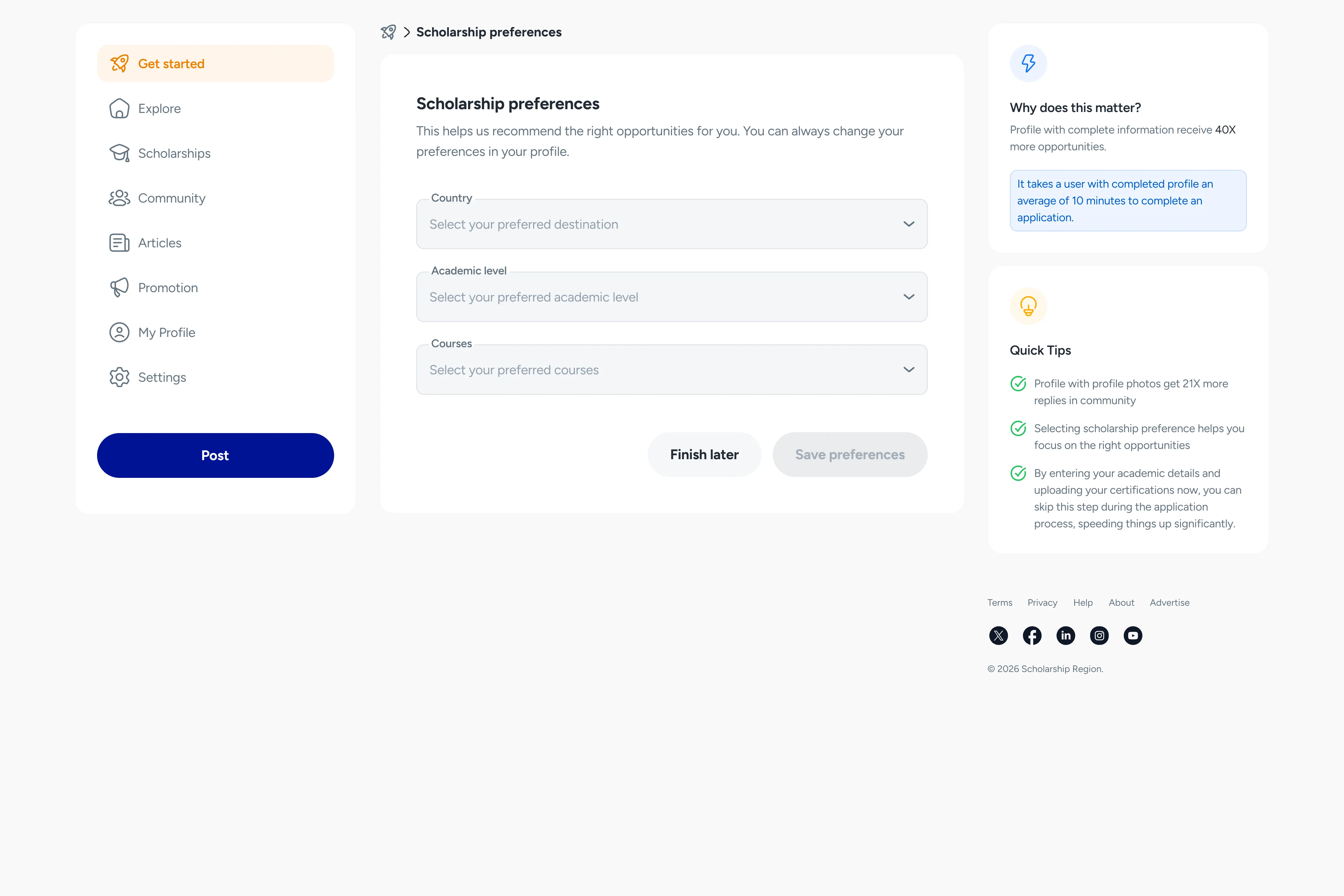
Step three: Set your scholarship preferences
Now that you have created your account, you need to set your scholarship preferences to get immediate recommendations from Scholarship Region. All you need to do is add the countries you want to get a scholarship from, add the academic levels of the scholarships you want, and add the courses you want to study.
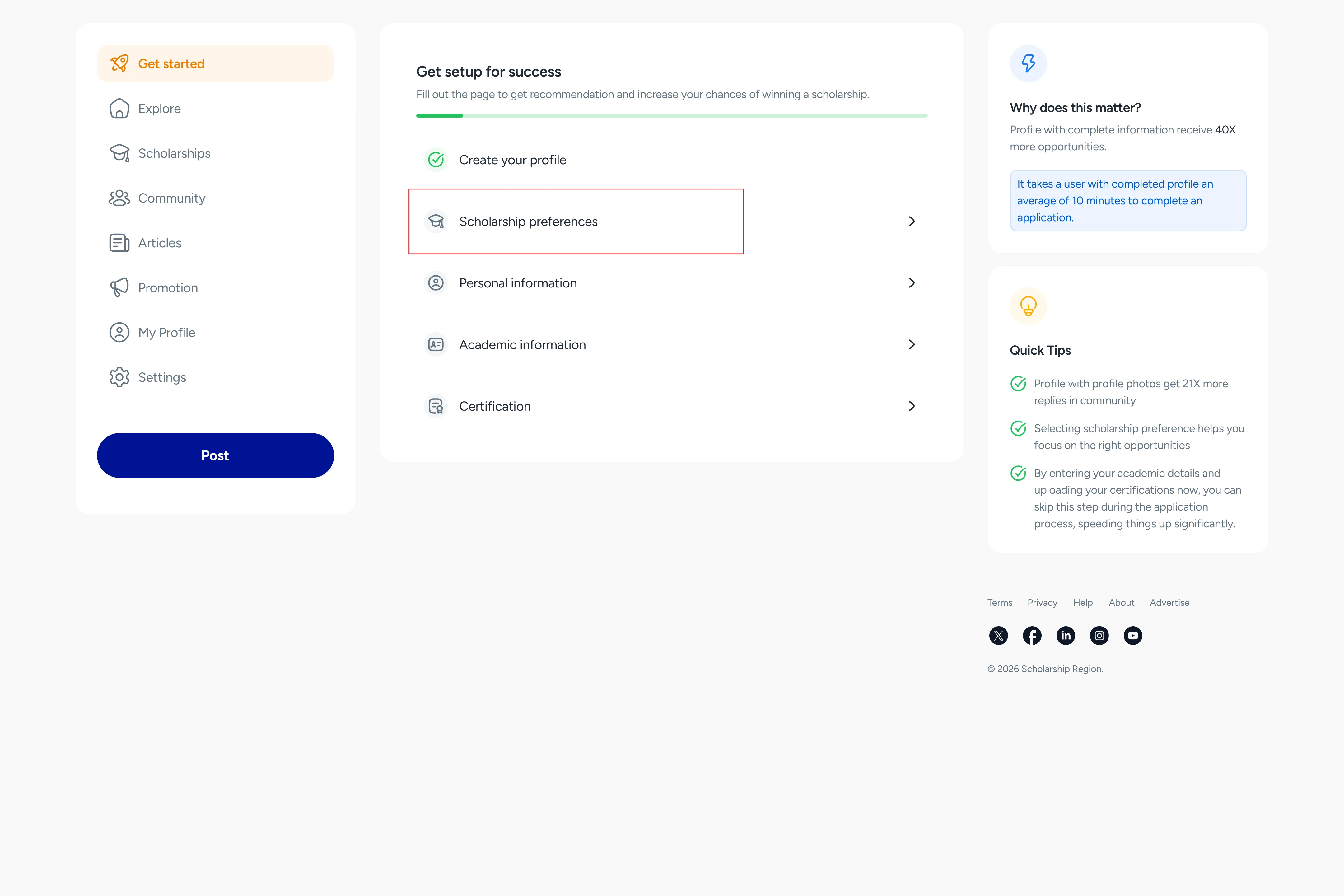
To get the best recommendations on the Explore feed, get a personalised scholarship match, and submit applications swiftly, you should also update your personal and academic information.
Did you find this article helpful?