

Welcome to the Help Center
Get quick answers to your questions about Scholarship Region
How to find scholarships
There are thousands of scholarships available worldwide, and finding the right one online can be tedious. But that was yesterday. With Scholarship Region, you can find scholarships that match your specifications and preferences easily, all in one place.
There are three ways to find scholarships on Scholarship Region.
Find scholarships by their names or category
Get personalised scholarship recommendations
Use Scholarship Matching (Best Option)
How to find a scholarship with their names or category
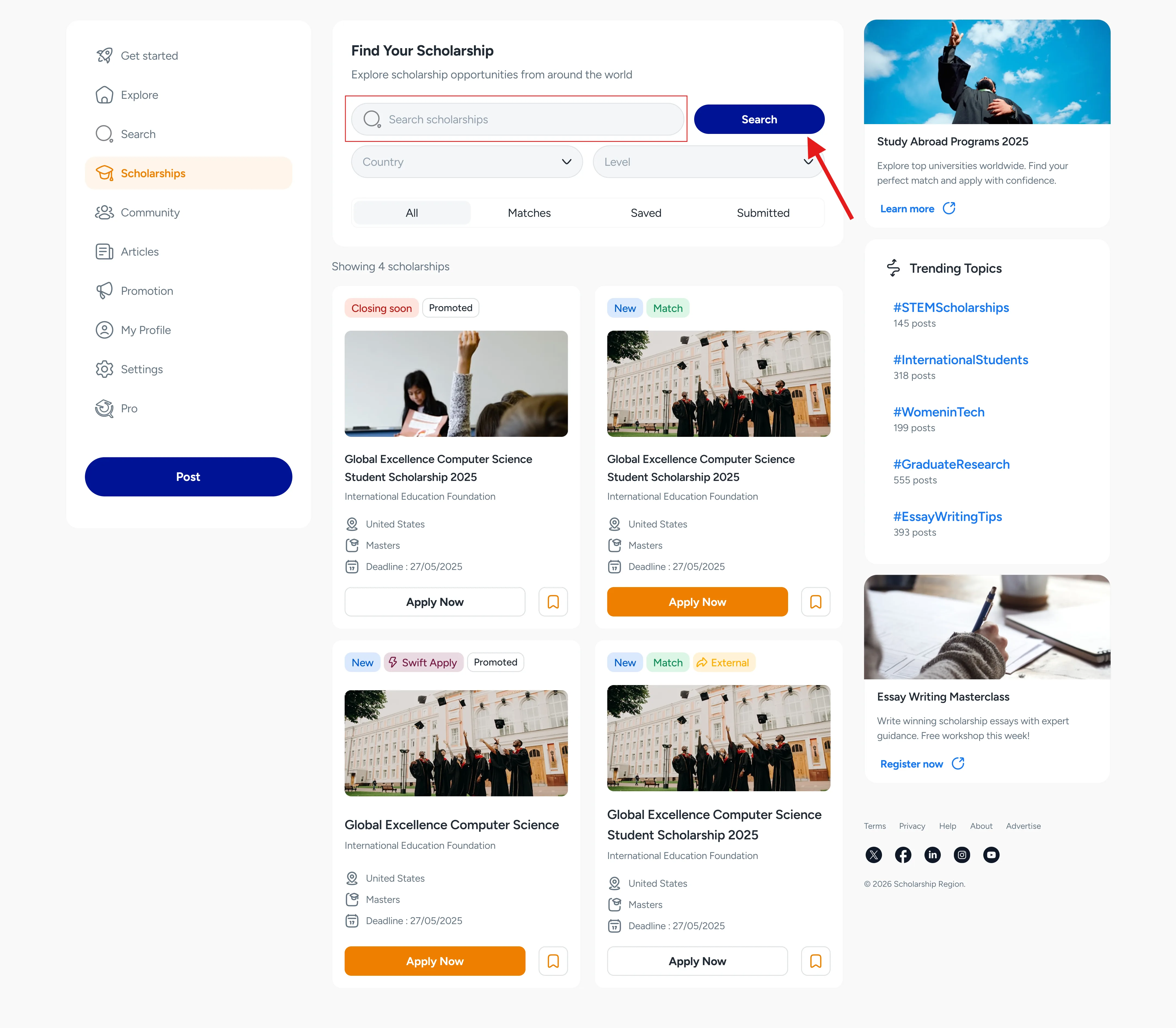
On Scholarship Region, you can quickly find scholarships by searching with the scholarship’s name or with the country or level.
To use this option, you can make use of the search bar options available in the homepage.
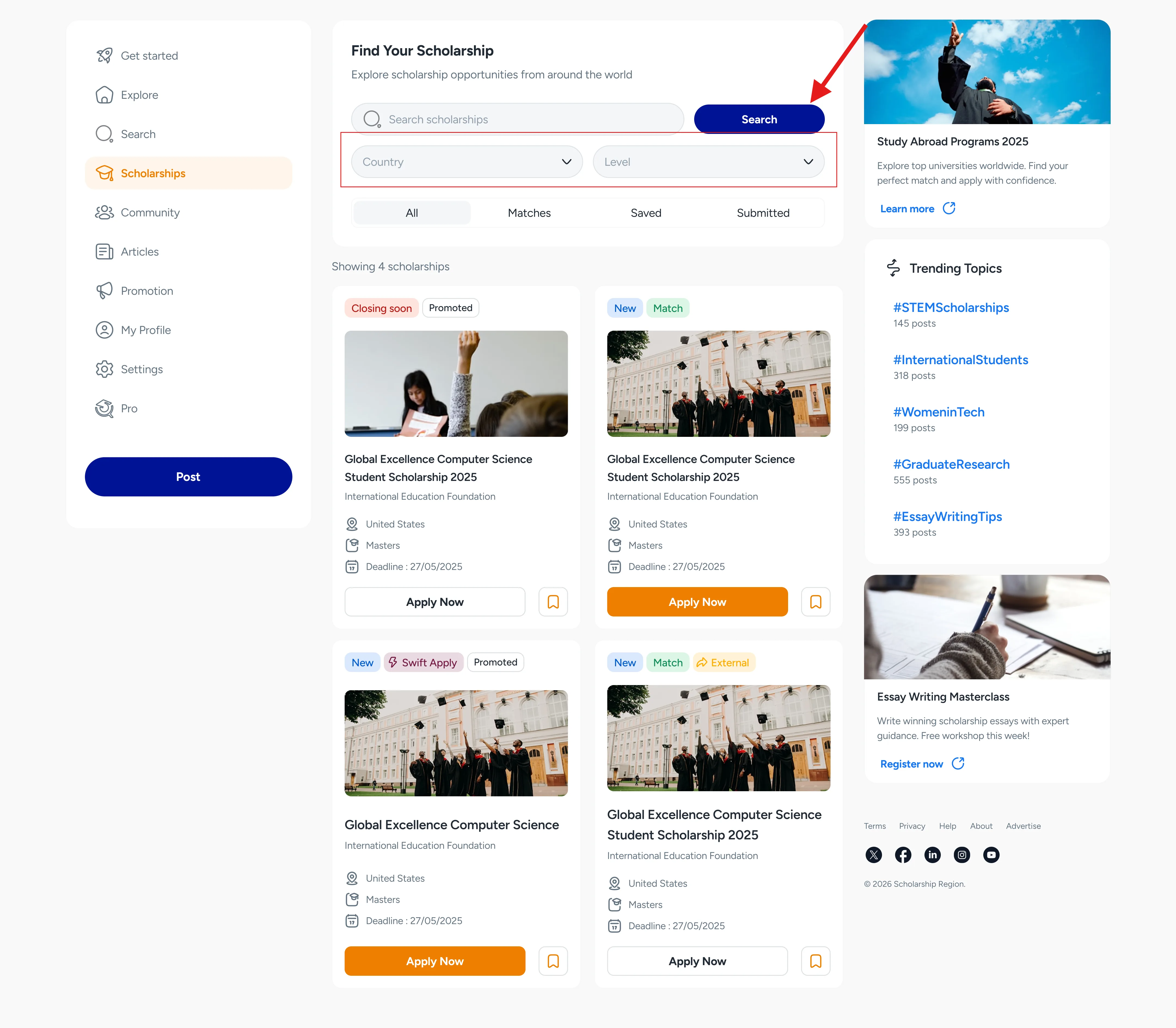
This search allows you to input the name of the scholarship or school that you are looking for. You can also select the destination country (i.e the country where you wish to study) or select the study level (i.e the level of education you would like to pursue).
To view all available scholarships, navigate to the Scholarship section from the homepage menu and use the search to filter.
How to get personalised scholarship recommendations
Finding a scholarship by name or category can be stressful and time-consuming. You get to scroll and read many scholarships before discovering the ones you are qualified for.
But with Scholarship Region, you can now see only the scholarships you are qualified for and focus on applying for them in good time. Here is how to start getting personalised scholarship recommendations.
Step one: Create a scholar account
Creating a Scholar account is free, easy, and takes just a few minutes. All you need to do is click on ‘Get started’ on the menu, select ‘Scholar’ on the sign-up page, and fill in your name, email, and password. You can create your account here.
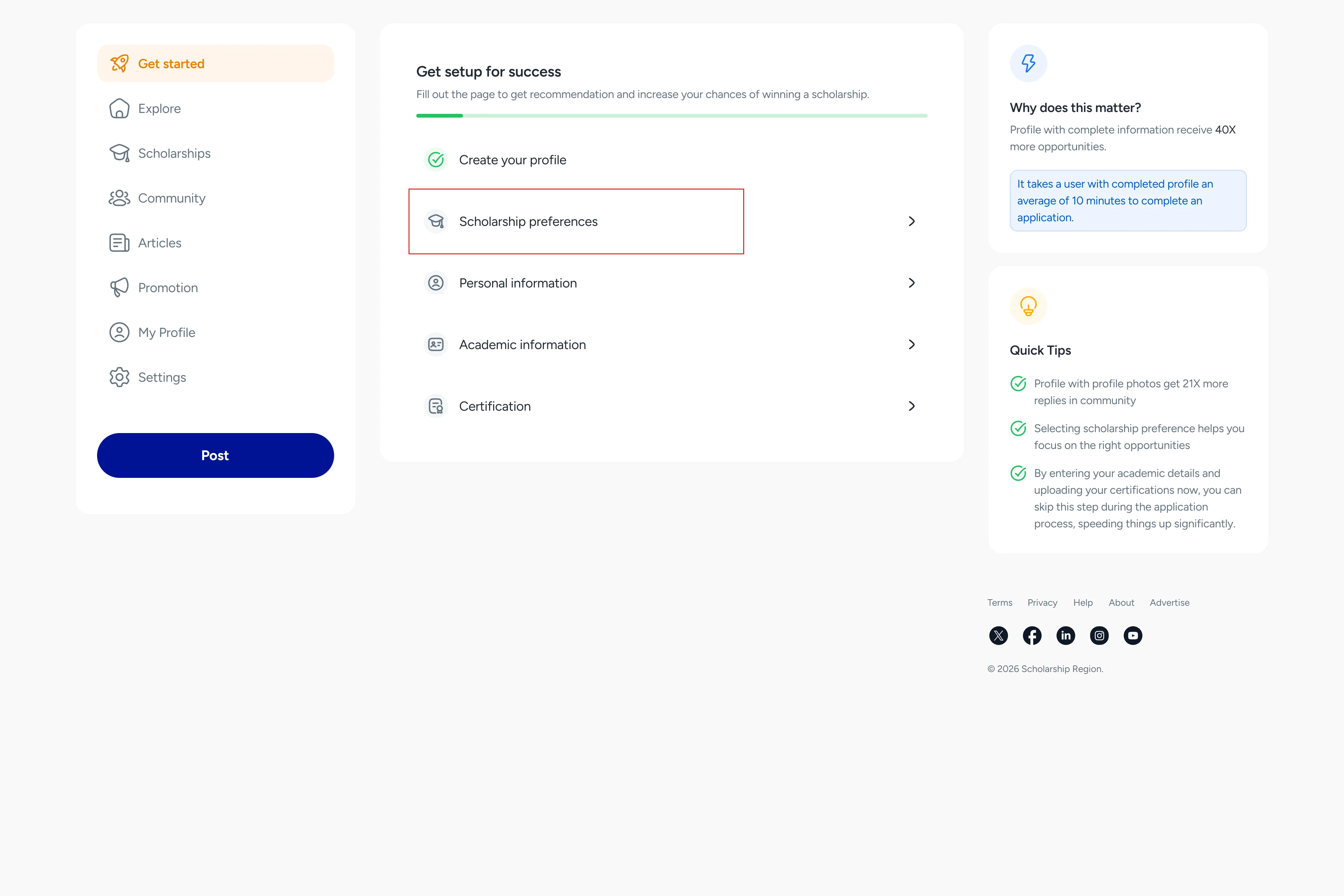
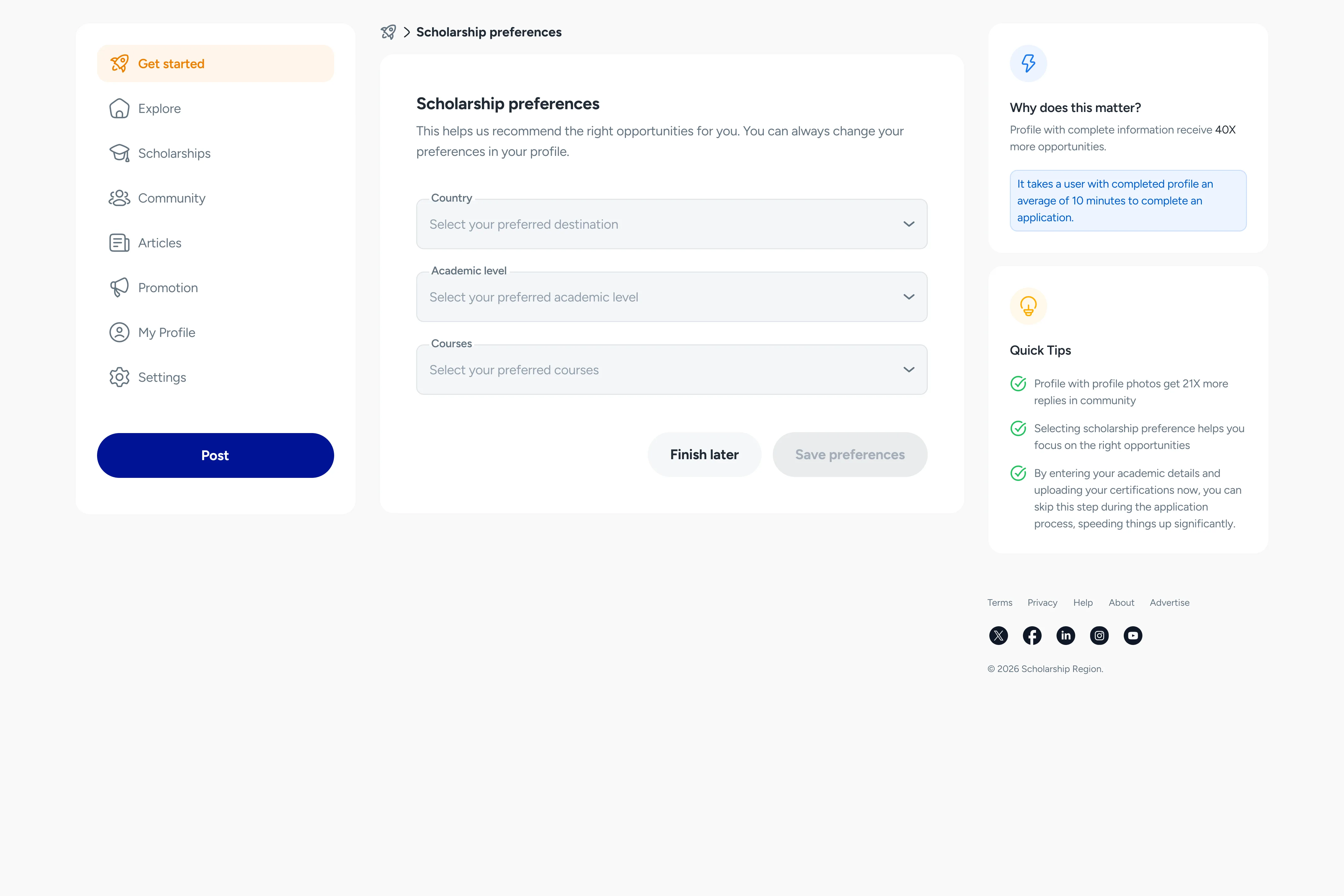
Step two: Set your scholarship preferences
After creating an account, follow the ‘Get Started’ prompts to specify the types of scholarships you want to see in your Explore Feed. Note that you can always change your selected preferences anytime in the ‘Settings’ section.
Step three: Visit Explore
Now that you have set your scholarship preferences, all scholarships that meet your specifications will start displaying in the Explore feed as recommendations.
How to use Scholarship Matching (Best Option)
Let us match you with scholarships tailored to you. With Scholarship matching, we will filter all scholarships worldwide and show you the ones that are best for you. This is the best way to save time, ensure you don’t miss out on any scholarship and increase your chances of winning.
To start getting scholarship matches, follow these steps:
Create a scholar account here and complete your profile details.
Go to ‘Scholarships’ section from the menu.
Click or tap on ‘Matches’.
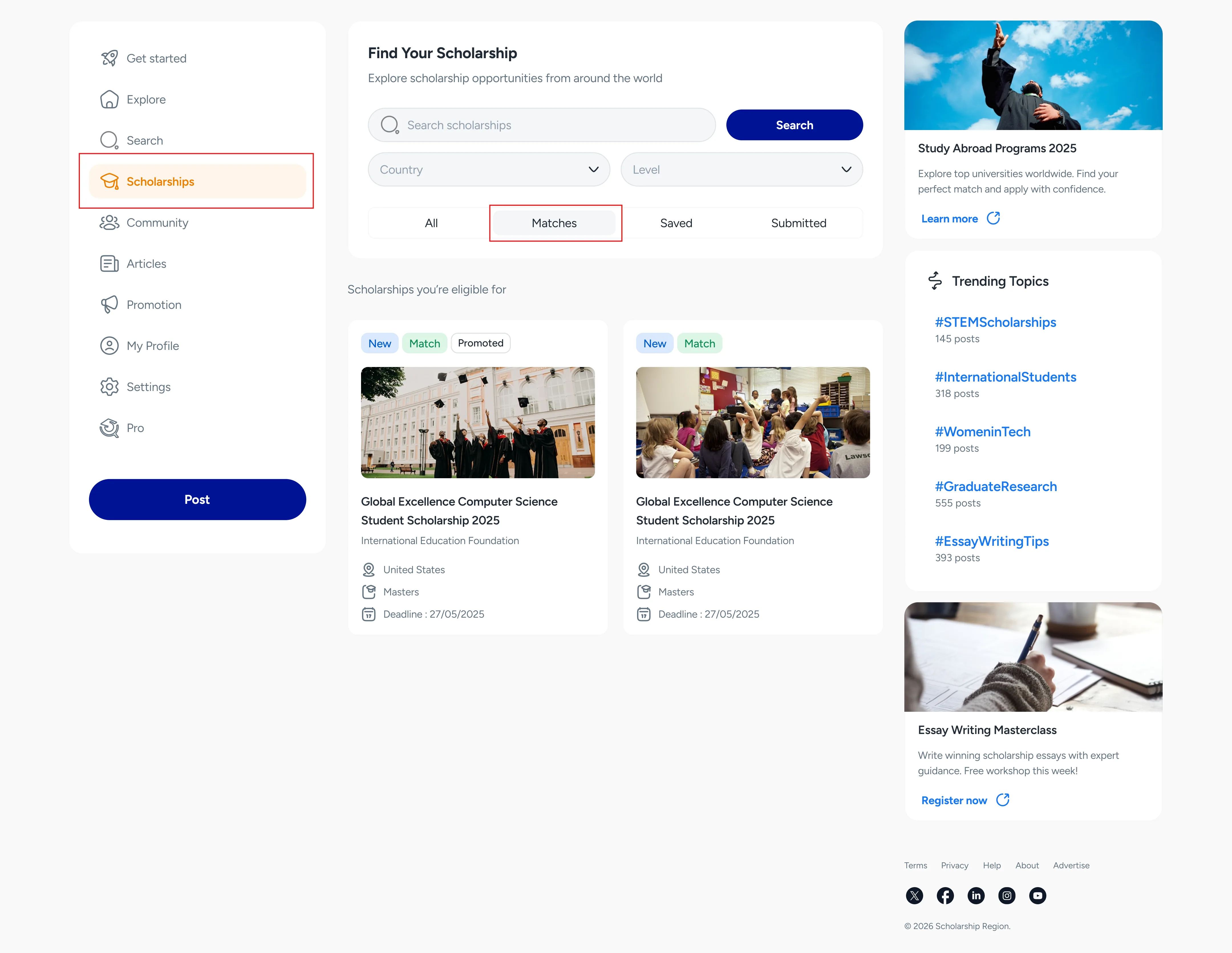
All scholarships shown in the matches tab are intended for you. With the information easily available, you can always visit the section and start applying for scholarships immediately.
Did you find this article helpful?