

Welcome to the Help Center
Get quick answers to your questions about Scholarship Region
How to reset your password
For security reasons, you may need to reset your password if you forget it or believe your account may have been compromised. Scholarship Region lets you reset your password quickly and securely, so you can regain access to your account.
When should you reset your password?
You should reset your password if:
You can’t remember your current password
You suspect unauthorised access to your account
You want to improve your account security
How to reset your password if you forgot it
If you cannot sign in because you forgot your password, you can reset it in a few steps.
Step one:
Go to the Scholarship Region sign-in page here
Click Forgot password?
Enter the email address associated with your account
Tap Send code
A password reset code will be sent to your email address.
If you cannot find the password reset email in your inbox, please check your spam folder, as it may be sent there occasionally.
Step two: Set a new password
After receiving the password reset code:
Open the email from Scholarship Region and copy the reset code
Return to the password reset page and paste the 6-digit code
Enter a new password
Confirm your new password
Click Create password
Once completed, your password will have been updated successfully.
Click on Continue to log in
If you experience any trouble resetting your password, please contact us at support@scholarshipregion.com or via our contact form here.
How to reset your password while signed in
If you are already signed in and want to change your password:
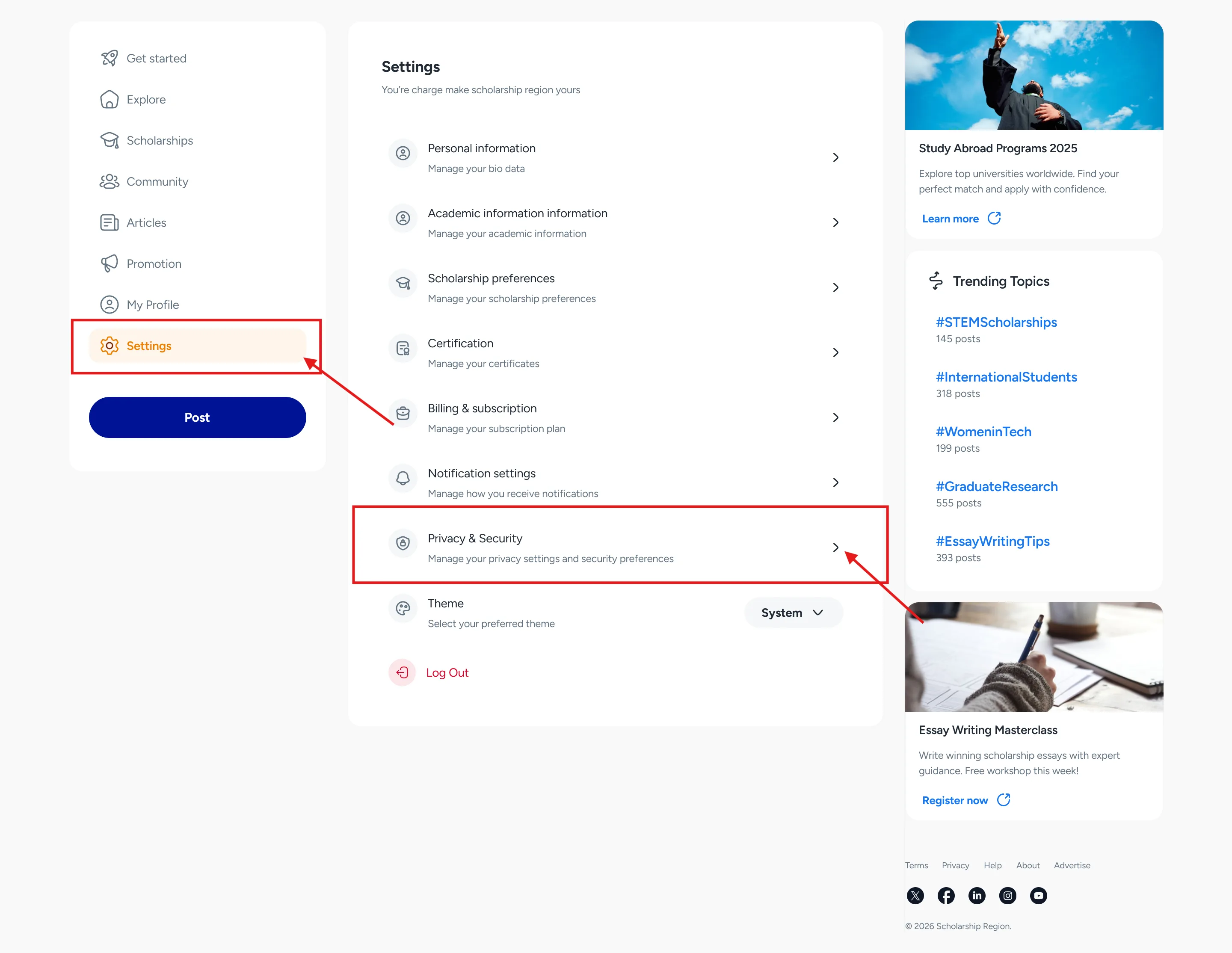
Go to Settings from the menu
Select Privacy & Security
Click Change password
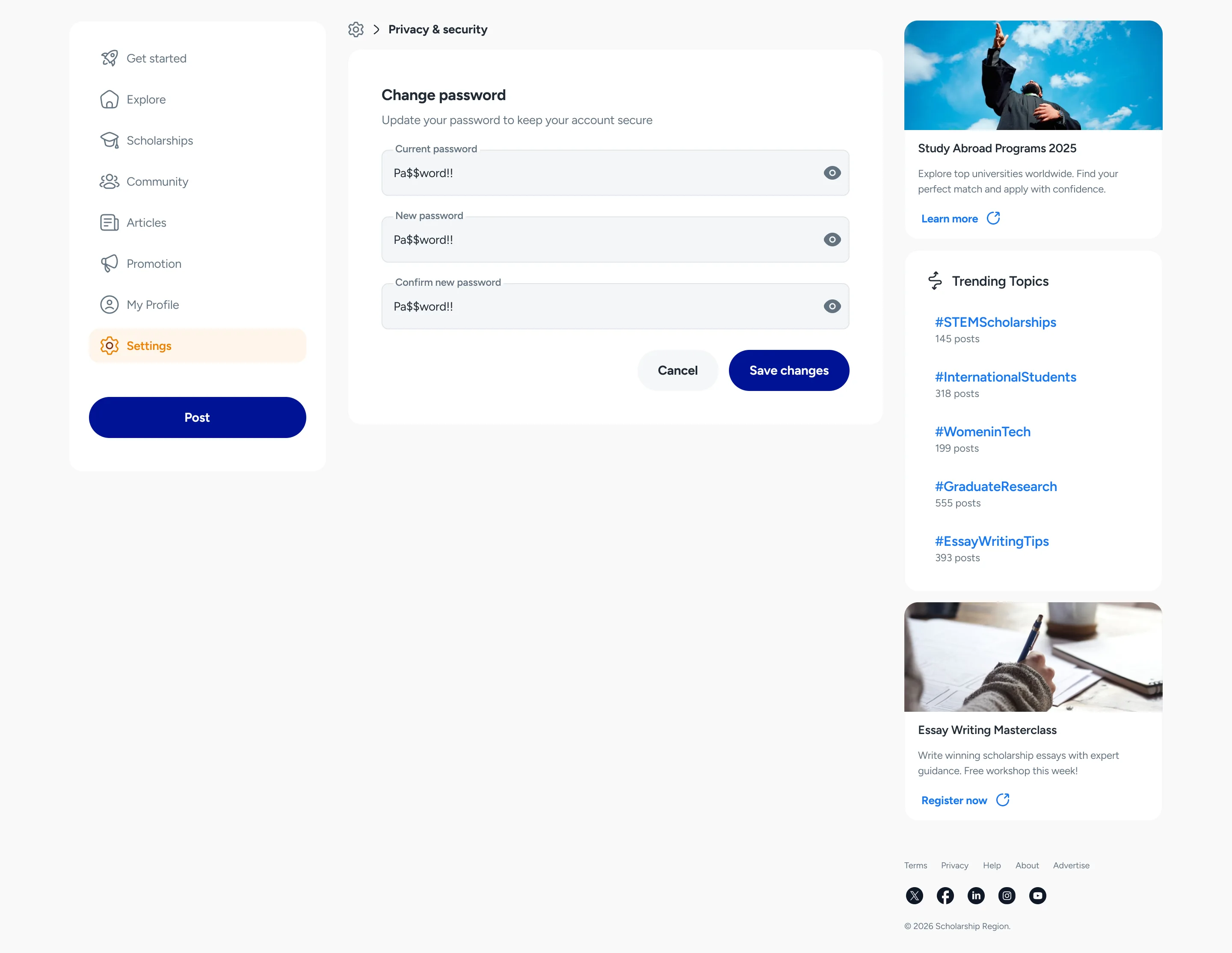
Enter your current password and your new password
Save changes
Changing your password regularly helps keep your account secure.
Password tips
For best security, choose a password that:
is unique to Scholarship Region
contains a mix of letters, numbers, and symbols
is not easy to guess
Avoid sharing your password with anyone.
Did you find this article helpful?