

Welcome to the Help Center
Get quick answers to your questions about Scholarship Region
How to post a scholarship
Scholarship Region allows organizations or philanthropists to post and manage scholarship opportunities on the platform. By posting your scholarship, you will reach millions of qualified scholars around the world, collect applications, review submissions efficiently, and select winners transparently from a single dashboard.
Listing your scholarship on the platform is very straightforward with these steps:
Step one: Create an Organization account
Creating an Organization account is free, easy, and can be done in a few minutes. All you need to do is click on ‘Get started’ on the menu, select ‘Organization’ on the sign-up page, and fill in your Organization name, Country, Official email, Organization type and password. You can create your account here.
Click on ‘Create an account’ and then verify your email. Once your email is verified, your account has been created successfully.
Step two: Start creating your scholarship
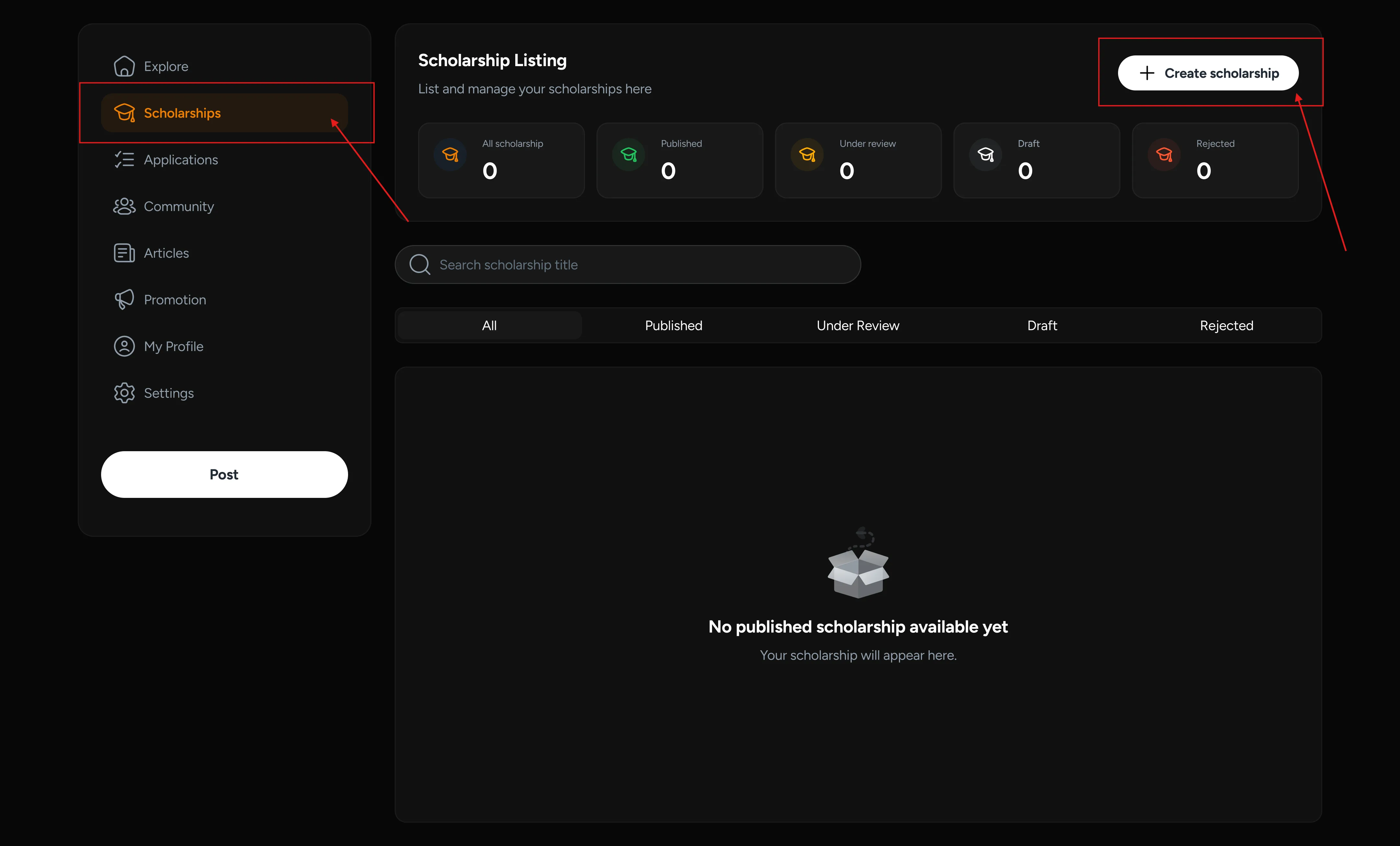
After signing in to the platform, navigate to the ‘Scholarship’ section in the menu and click on ‘Create Scholarship’.
Step three: Complete the scholarship details
Fill in all the scholarship details, including the title of the scholarship, a brief description, a banner image, its closing date, award type and amount, host country, eligible country and courses.
On this page, you can also fill in all the detailed information about the scholarships, including the requirements, benefits, and how to apply.
Step four: Select how you want to collect applications for the scholarship
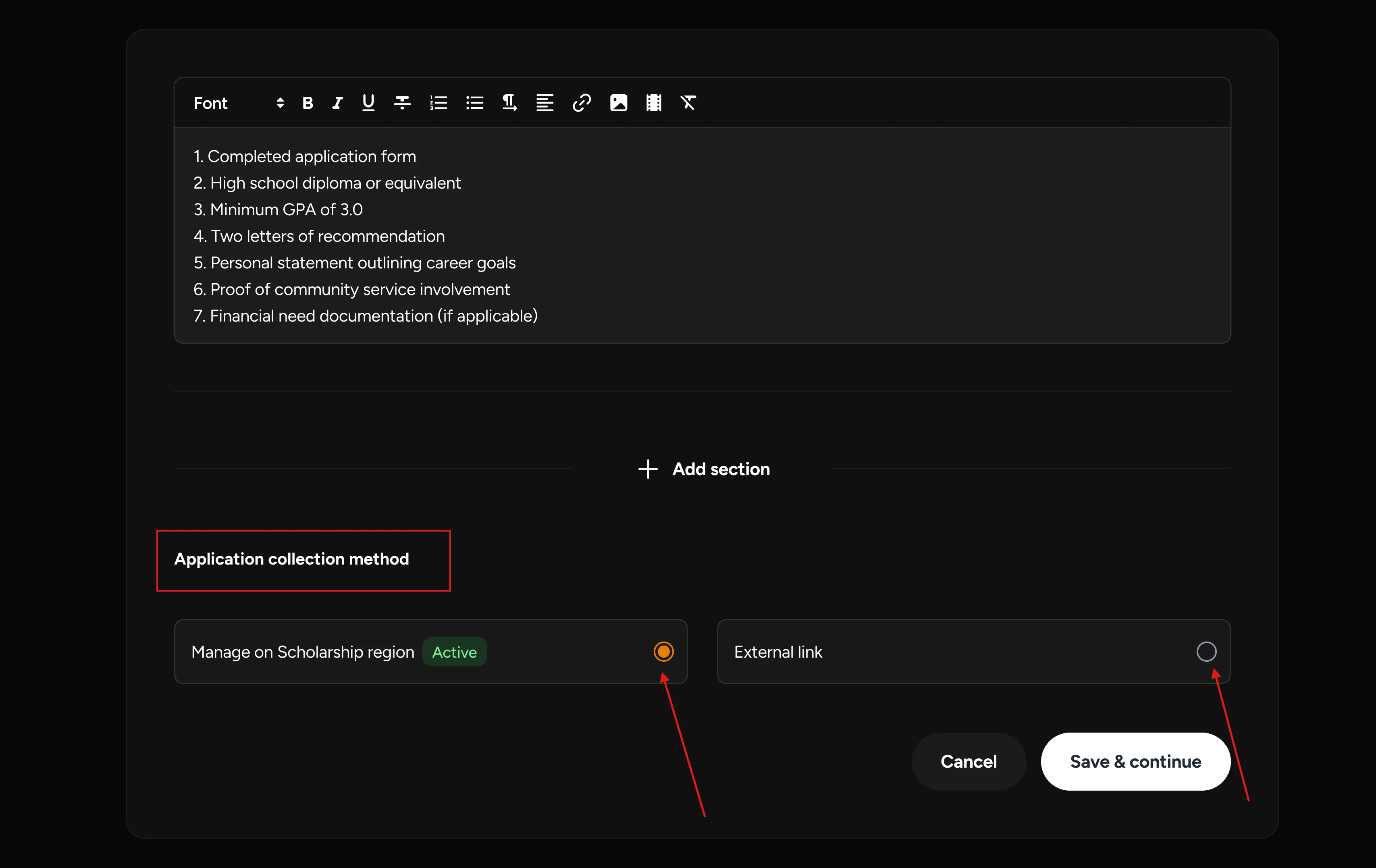
After filling in the details of the scholarship, you can now select if you want to collect applications for the Scholarship Region or direct interested candidates to an external link.
Collect applications with External link
To direct candidates to an external link, select ‘External link’ and insert the link. Then click ‘Submit’ to post the scholarship. Your scholarship has been successfully posted and will be sent for verification before it goes live. You will receive an email confirmation once it is approved.
Collect applications on Scholarship Region (Best Option)
Collecting applications on Scholarship Region is the best option for you, as it gives you full control of the entire award process from posting to application collection, reviews, verification, grading, and winner selection all in one place.
The Collection application for Scholarship Region also provides you with access to our database of verified candidates, saving you the stress of verifying their authenticity when using an external link.
To collect applications on Scholarship Region, select ‘Platform Collection’ and click ‘Save and Continue’.
Step five: Select the information you want to collect
In this page, you can specify the information about the applicants that is relevant to your scholarship review process. Tick all the personal information, academic information and documents you wish to collect from the applicants.
In case you wish to collect information that is not listed on the page, you can click on ‘Add information’ to add it.
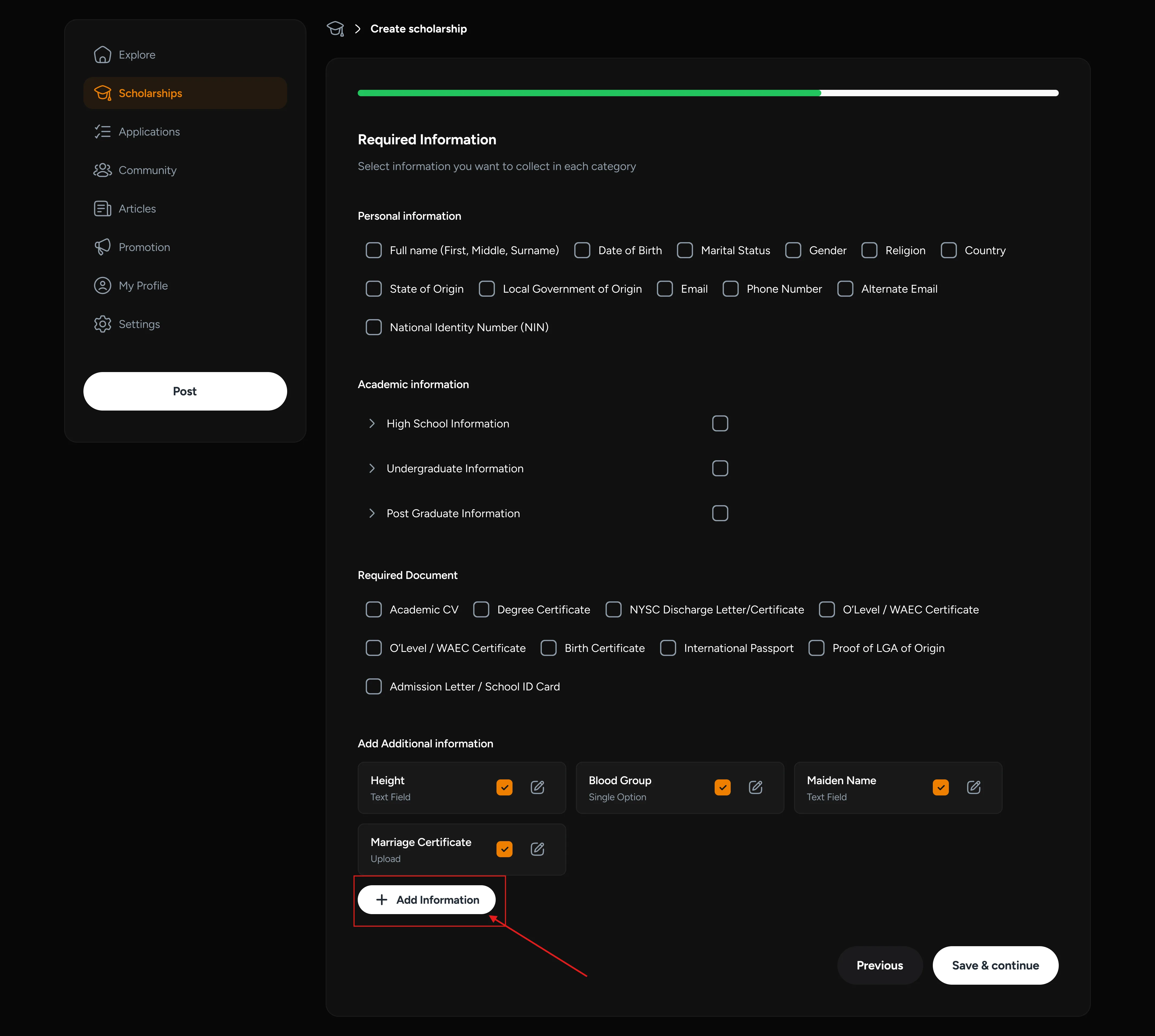
Once your selection has been made, click on ‘Save and Continue’.
Step six: Set your selection criteria
Setting your selection criteria helps you quickly identify qualified and unqualified candidates, saving significant time during the review process. By setting your selection criteria, you can focus on reviewing applications from only those who qualify.
Step seven: Use a testing method (Optional)
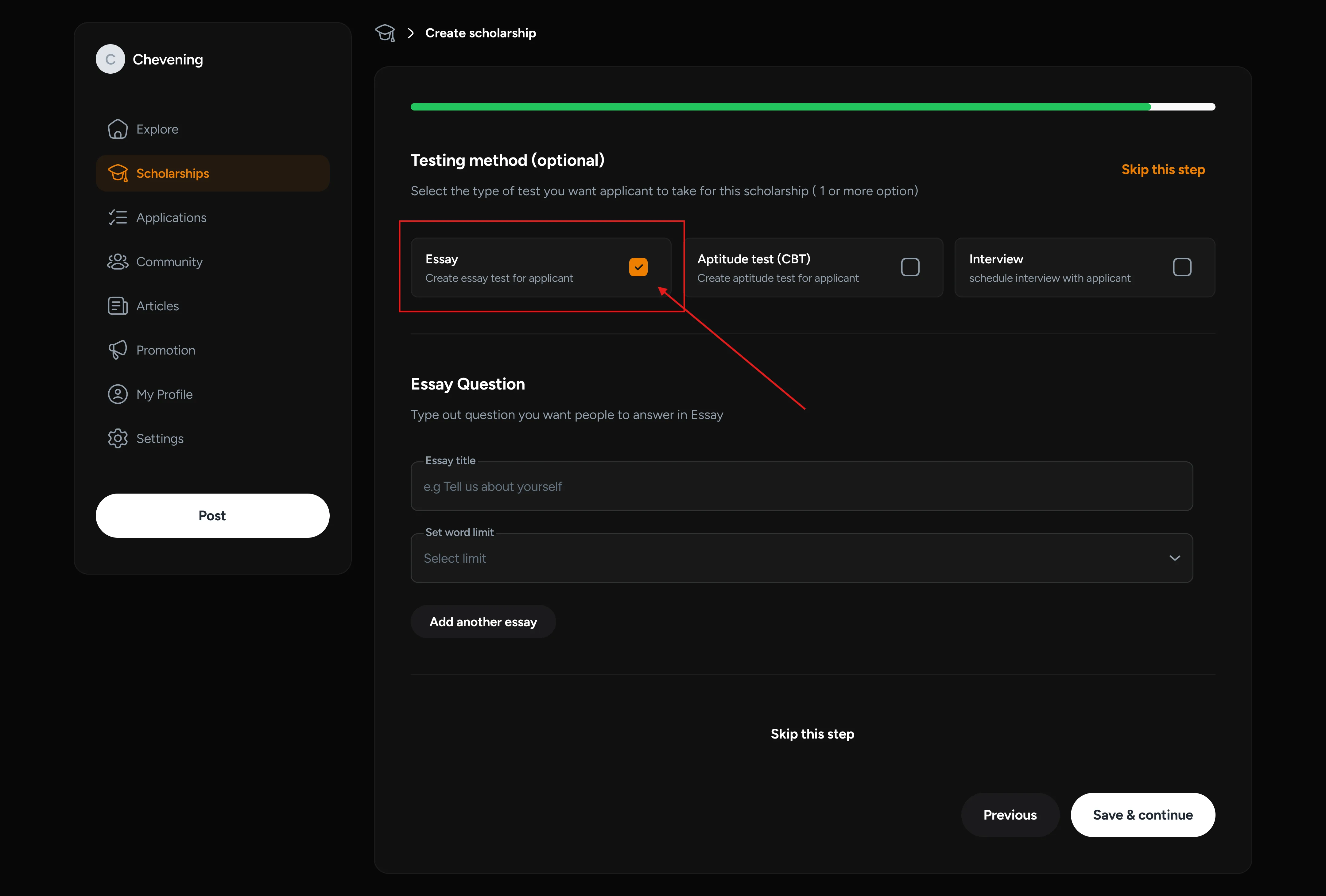
As an option for you to grade applicants for your scholarship, you can choose to set an assessment test for them to take. On Scholarship Region, you can set essay questions and indicate if you will be inviting them for aptitude tests and interviews as part of the process.
To set essay questions, select ‘Essay’, add the ‘Essay title’ and set a word limit. Then click ‘Save and Continue’.
Step eight: Review details and submit
You have finally completed the posting and application collection process on Scholarship Region. Now you should review all the details you have entered for accuracy, then click ‘Submit’.
Your scholarship has been successfully posted and will be sent for verification before it goes live. You will receive an email confirmation once it is approved.
If you have questions or need clarification on posting and managing a scholarship on Scholarship Region, you can BOOK A DEMO here.
Did you find this article helpful?